> For the complete documentation index, see [llms.txt](https://docs.tokentable.xyz/llms.txt). Markdown versions of documentation pages are available by appending `.md` to page URLs; this page is available as [Markdown](https://docs.tokentable.xyz/for-founders/tokentable-standard.md).
# TokenTable Standard
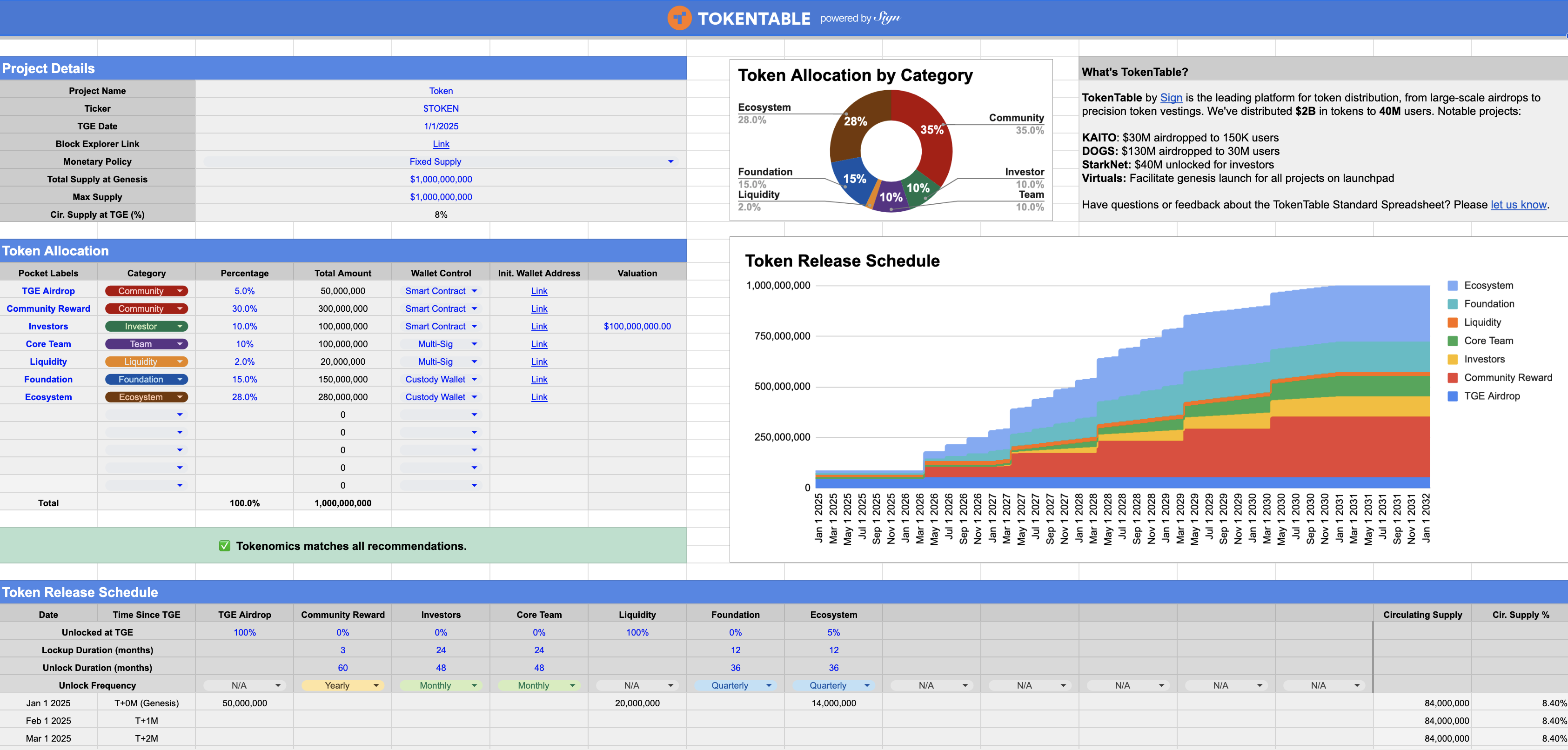
**TokenTable Standard Spreadsheet** is a free and powerful tool designed to help founders clearly and succinctly communicate their tokenomics to the community, investors, and future exchange partners. It is developed from direct, candid conversations with exchanges about what they actually need to see, combined with proven practices for building sustainable token economies.
Make a copy of the spreadsheet [here](https://docs.google.com/spreadsheets/d/1blxrXi8WbhDw8h31y_BBYz15bDeiZ36_XAAjWMKz-5E/edit?usp=sharing) and see below for a detailed breakdown of each section.
TokenTable Standard Spreadsheet
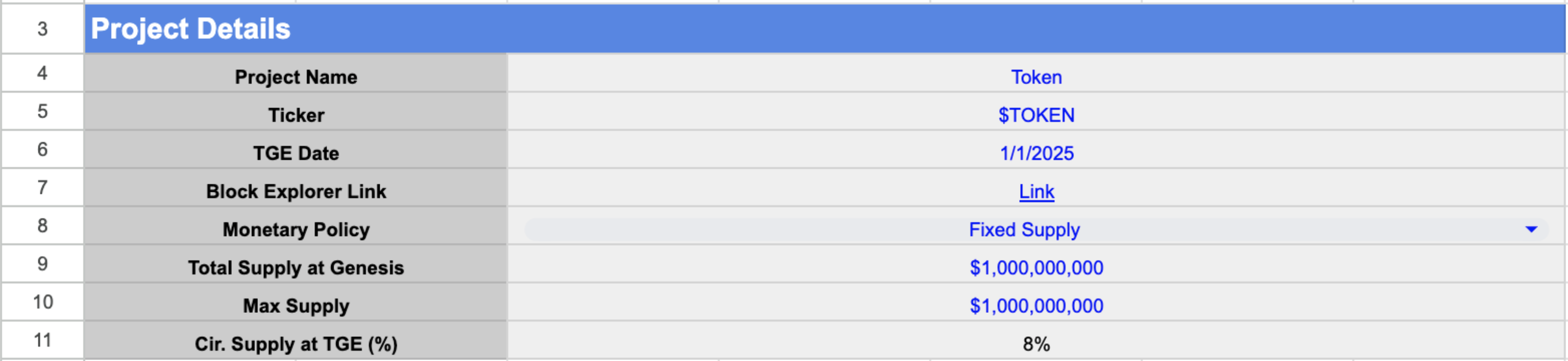
### Section I: Project Details
Cells **C4-C11** contains details about the token’s core attributes. **Blue text fields require user input, while black text fields populate based on the information provided.** The **Cir. Supply at TGE (%)** will be determined once vesting details are entered later.
### Section II: Token Allocation
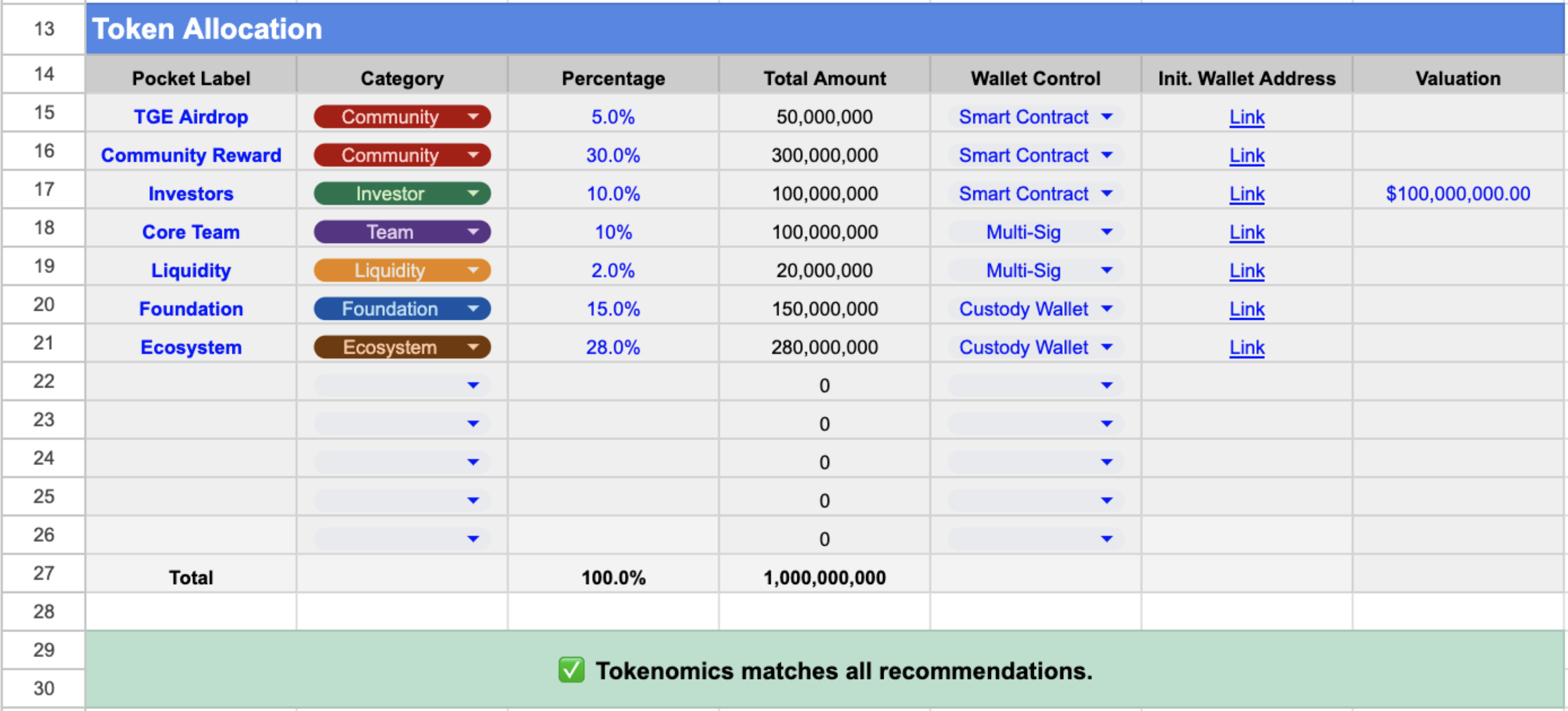
Cells **A15–G26** define each token allocation group with the following fields:
* **Pocket Label**: Name of the allocation group.
* **Category**: Classification of the group (some categories have constraints).
* **Percentage**: Share of the total token supply.
* **Total Amount**: Auto-calculated based on **Percentage** and **Max Supply** (cell C10).
* **Wallet Control**: Method of distribution (e.g., Smart Contract, Multi-Sig, Custodial Services).
* **Init. Wallet Address**: On-chain wallet address for initial token distribution at TGE.
* **Valuation**: For investor groups, the company’s valuation at the time of investment.
Once completed, the checker in **rows 29–30** will validate the allocation and provide suggestions (e.g., “Team and investor allocations should not exceed 40%,” “Liquidity should not exceed 3%”).
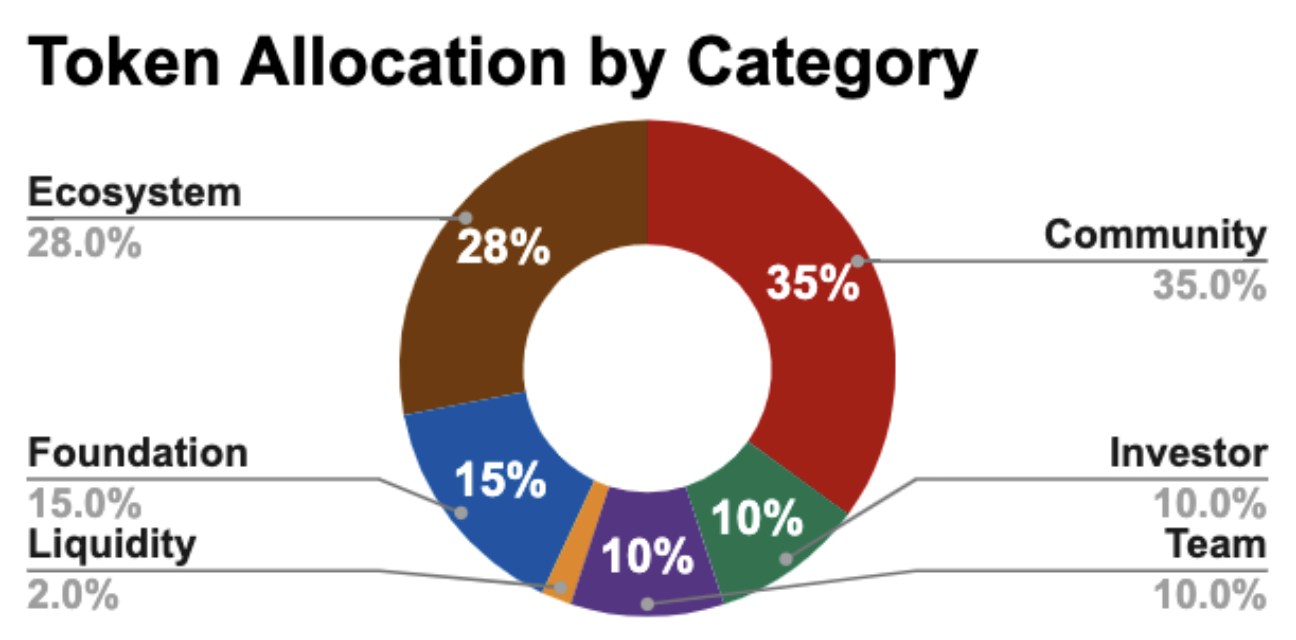
The pie chart on the right visualizes token distribution by category and updates in real time as data is entered.
### Section III: Token Release Schedule
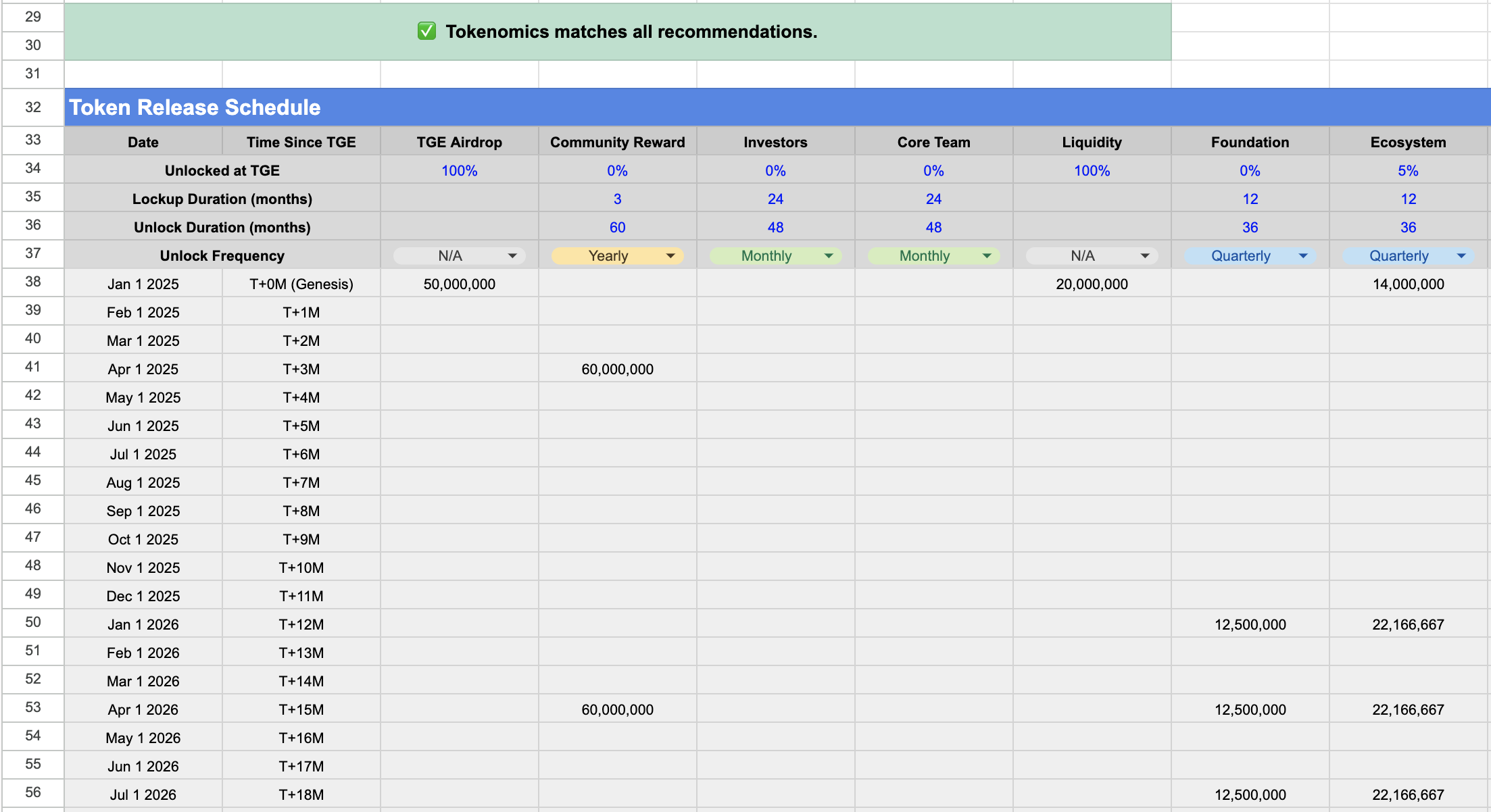
Rows **34–37** capture vesting details for each allocation group:
* **Unlocked at TGE**: % of tokens released on the day of TGE
* **Lockup Duration**: Months tokens remain fully locked post-TGE (cliff period)
* **Unlock Duration**: Months over which tokens are gradually released after the cliff
* **Unlock Frequency**: How often tokens are released (e.g., monthly, quarterly)
Rows **38–123** display monthly token releases, dynamically calculated based on inputs in rows **34–37**. As with allocations, the checker in **rows 29–30** will review the vesting setup and provide suggestions (e.g., “Investor lockup and unlock duration should total at least 36 months”).
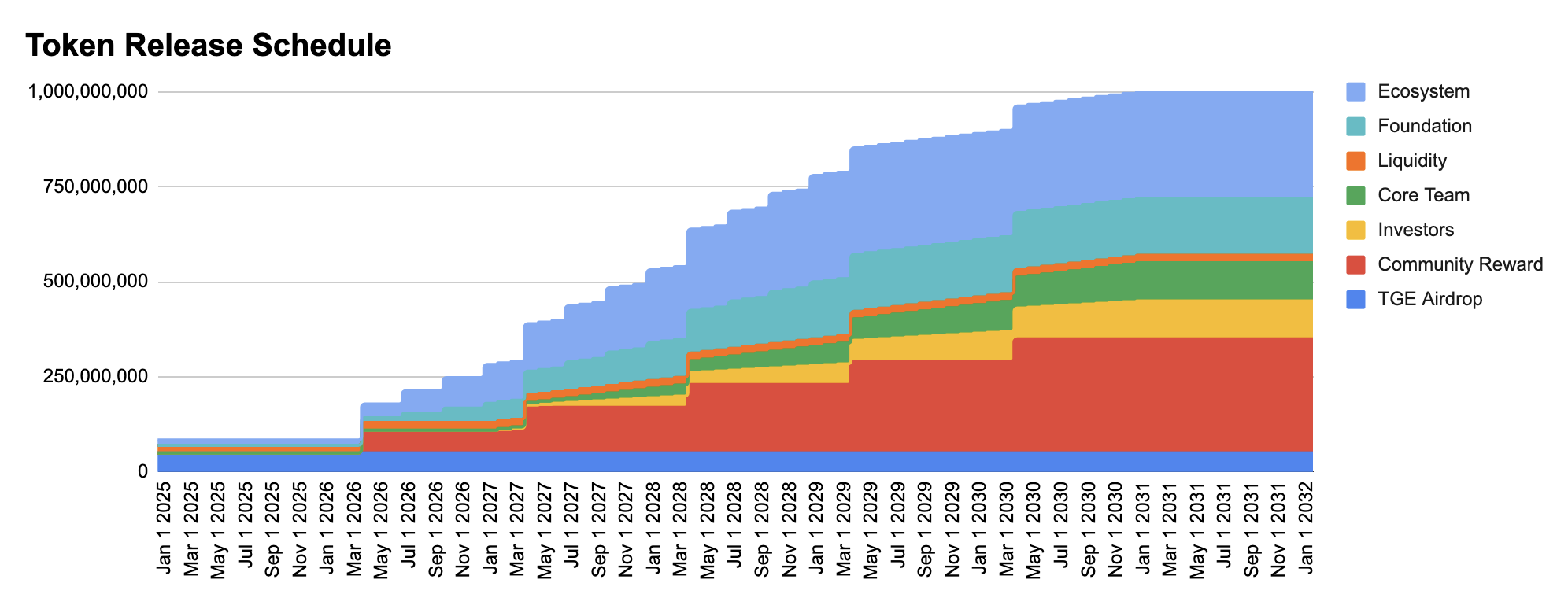
The stacked area chart on the right updates in real time to reflect the vesting schedule.
Have feedback about the TokenTable Standard Spreadsheet or questions about our other products? Please [let us know](https://docs.google.com/forms/d/e/1FAIpQLSfP2zAyh2kUyhYFRcbo7eQpeM8xzW3Bd4DTzEWDuavP4mfdsg/viewform).